

Moon Marble Free Tilt Maze Game for Kids
Tilt your phone to roll a marble through mazes, collect three stars and reach the flag. A free tilt maze game for kids, with new marbles to unlock.
- 5–12 yearsSuggested ages
- Fine motor controlMain skill
- FreeNo ads, no in-app purchases
- Any devicePhone, tablet or computer

About Moon Marble
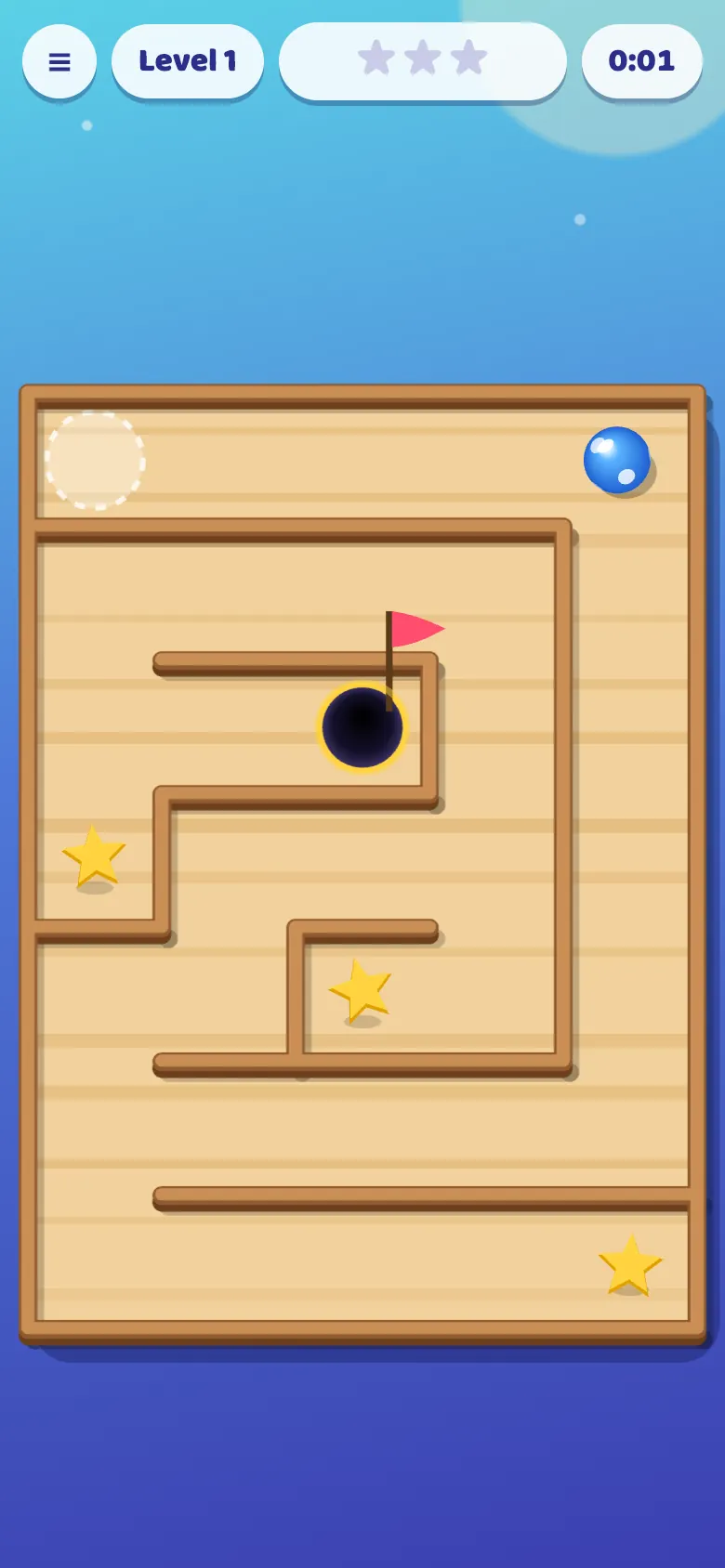
Moon Marble is a tilt maze game for children. A shiny marble sits at the start of a wooden, candy, ice, jungle or space maze, and tipping the phone makes it roll, just like a real marble maze held in your hands. Bump along the walls, find the way and drop the marble into the hole with the flag.
Every maze hides three stars at the ends of side paths, so it's worth exploring instead of rushing. Later mazes are bigger and have dark holes that send the marble back to the start. Stars unlock new marbles, from cherry red to rainbow and moon. On a computer or a tablet that can't feel tilting, children slide a finger or use the arrow keys instead.
How to play Moon Marble
- Tap Play and hold the phone flat in front of you.
- Tilt the phone to roll the marble. It rolls the way you tip it.
- Roll over the stars to collect them.
- Roll the marble into the hole with the flag to finish the level.
- Ball rolling by itself? Tap the target button to level the board.
What children learn
- Fine motor controlTipping the phone gently and steadily, a little at a time.
- Hand-eye coordinationWatching the marble and reacting before it rolls too far.
- Planning a routeLooking ahead through the maze to find the way to the flag.
- PatienceSlowing down near the holes instead of rushing.
Great for ages 5 to 12
See more games for each age:
Levels and difficulty
The levels never run out, and every level is a new maze. Level 1 is a small maze with wide paths, and every two levels add a row and column, up to big mazes from level 13. From level 4, dark holes fill some of the dead ends, and from level 7 more appear at the side of corridors, with just enough room to roll past. The boards take turns between wood, candy, ice, jungle and space.
Tips for parents and teachers
- Small tilts work best. Tip the phone back towards flat before the marble reaches a corner.
- Turn on the phone's rotation lock so the screen doesn't turn while tilting.
- Stars wait at the ends of side paths: peek into the dead ends, but watch for holes.
Moon Marble questions
Does Moon Marble work without tilting?
Yes. If the device can't feel tilting, slide a finger anywhere on the screen the way the marble should roll, or use the arrow keys on a computer.
Why does my iPhone ask about motion?
iPhones and iPads ask before a web page can feel the phone tilting. Tap Allow so the marble follows the tilt. The game uses this only to roll the marble.
What age is Moon Marble for?
From about 5. The first mazes are small with wide paths, and the bigger mazes with holes challenge older children.
Is Moon Marble free?
Yes. Moon Marble is completely free, with no ads and no in-app purchases.
Do I need to download Moon Marble?
No. It plays right in the web browser on phones, tablets and computers. You can also add it to your home screen like an app.
Does my child need an account?
No. Anyone can play straight away. A free Wizzymoon account is optional: it saves progress across devices and puts scores on leaderboards.
Is Moon Marble safe for children?
Yes. There are no ads, no chat and no links to other sites. The only thing other players can see is a username on a leaderboard.
Ready to play Moon Marble?
It's free, with no ads and nothing to download.
More games to try
-
 Moon Bowling
Bowl strikes under the stars: stop the aim and power sliders on green, win new balls, and play Easy with bumpers or Pro. A free 10-pin bowling game for kids.
-
 Snacky Snake
Swipe to steer the snake, gobble the fruit and catch the scurrying mouse for 3. A free snake game for kids with rocks on Hard, leaderboards and no ads.
-
 Star Slinger
Pull back, aim and hit the target with a slingshot. A free aiming game for kids that teaches distance and direction, with wind and moving targets, and no ads.
-
 Farty Bird
Tap to flap through the pipes, grab magic beans, use a Nitro Fart and shield, and win medals and new birds. A silly, free flying game for kids.